
How To Unsubscribe
If you want to cancel a subscription
Learn how to cancel a Lens Suite App subscription through the App Store.
Cancel a subscription from Apple
How to cancel a subscription on your iPhone, iPad, or iPod.
1. Open the Settings app.
2. Tap your name.
3. Tap Subscriptions
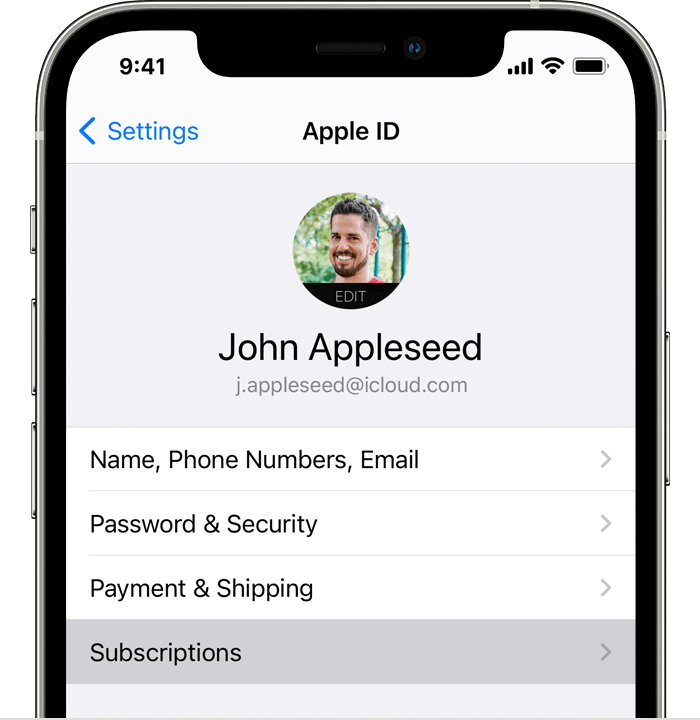
4. Tap the subscription
5. Tap “Cancel Subscription.” You might need to scroll down to find the “Cancel Subscription” button. If there is no Cancel button, your subscription is already cancelled.
Cancel a subscription on your Mac.
1. Open the App Store app.
2. Click your name. If you can’t find your name, click Sign In.
3. Click Account Settings.
4. Scroll to Subscriptions, then click Manage.
5. Next to the subscription, click “Edit”.
6. Click “Cancel Subscription” If there is no Cancel or Cancel Subscription Button, the subscription is already cancelled.
View the fill Apple Support Article here: https://support.apple.com/en-us/HT202039